
Applies to Models: Dell-built WRT-P WAVE Servers
Summary
If you experience hardware-related issues with a Hanwha/Dell-built WAVE Server, you must provide an ePSA report from the WRT-P. The ePSA hardware diagnostics generates a QR code that enables Dell technicians to assist with on-site recovery or guide you through the next steps in the Warranty Support process. This article explains how to run the Diagnostics Quick Test on a Dell-built WRT-P WAVE Server.
NOTE: Refer to the original Dell article: How to Run a Preboot Diagnostic
Test on a Dell Computer.
Running the Diagnostics Quick Test
- Power on the WRT-P WAVE Server.
- When the Dell logo appears, press the F12 key several times until the One Time Boot Menu appears.
-
On the boot menu screen, select Diagnostics to begin the diagnostic QUICK TEST.
The Enhanced Pre-boot System Assessment window will show a status bar on the diagnostic progress.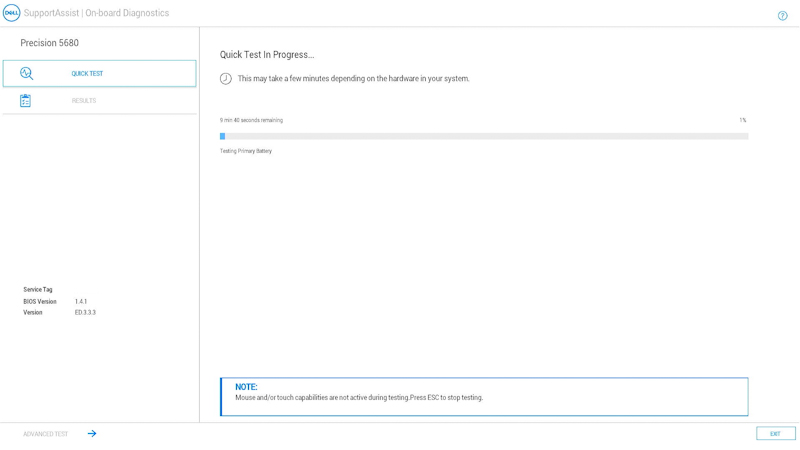
Once the quick test completes, the following results are shown:-
All tests passed successfully, you can either:
- Scan the QR code for additional help.
- Select EXIT in the lower right corner to reboot the computer.
- Select ADVANCED TEST on the lower left corner to run a specific test.
-
A message stating what hardware is not working correctly.
- Scan the QR code to report the issue to Technical Support.
-
All tests passed successfully, you can either:
-
Report the issue by visiting our Customer Support Hub and opening a ticket with Hanwha Technical Support for assistance.